Farflung Map, Pin & Controls
How to navigate the unlabeled world map on desktop and mobile without mis-pins.
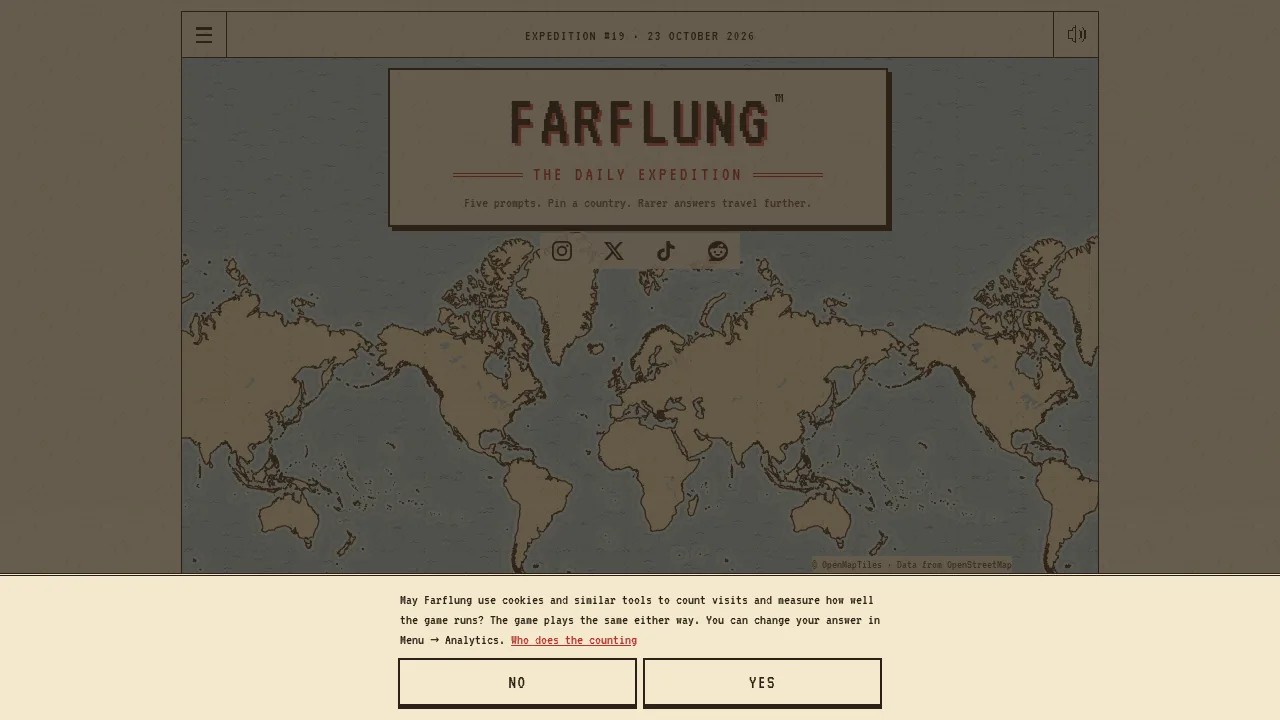
Farflung’s challenge is not a multiple-choice list — it is an unlabeled world map. You must recognize country outlines, place a single pin, and confirm with Drop pin. This page covers map interaction, difficulty toggles, timing, and habits that prevent 0 km mistakes. Pair it with Getting Started for rules and Rare Answers Tips for what to aim at.
Core actions
- Read the prompt fully before zooming. Many players lose time (or clock seconds) by panning first.
- Pan and zoom to the region you have in mind. On touch devices, use pinch-zoom; on desktop, scroll wheel or trackpad zoom is typical.
- Tap or click once to place the pin preview on a country.
- Confirm with Drop pin. Until you drop, you can usually reposition; after drop, that prompt is scored.
- Advance through five prompts to reach camp.
Only one pin per prompt counts. Double-check that the pin sits inside the intended outline — coastal and border pins are the usual failure mode when borders are hidden.
Unlabeled map literacy
Because names are not printed on the play map (and can be further hidden under the pin via Difficulty), you need outline memory:
- Distinguish lookalikes (e.g., similar West African coastlines, Balkan shapes, Central American stacks).
- Learn microstates’ positions relative to neighbors — critical for gem hunts like Liechtenstein or Luxembourg in language prompts.
- Remember that territories score as parents: a pin on Greenland is Denmark; Guam is the United States. See Rulings Guide.
Build outline skill in Learn Countries (name → tap) without spending the daily try. Warm up with Practice Round when you want a single untimed prompt. Both are covered in Practice and Learn Countries.
Difficulty options
Farflung lets you set your own map challenge:
| Option | Effect |
|---|---|
| Hide country name under pin | Removes the name confirmation safety net |
| Hide borders | Forces pure outline / region recognition |
| 60 second clock | Soft time pressure per prompt |
| 30 second clock | Hard time pressure |
You can combine options. Completing a whole expedition with selected challenges can earn star markers beside your distance — a cosmetics/pride layer on top of raw kilometres. Start with defaults, then add one constraint at a time. Hiding borders while hunting Farflung gems is advanced play; mis-pins still score 0 km regardless of intent.
Clock behavior notes
- The clock starts once the prompt is shown.
- If you leave mid-expedition, timing continues as part of the same daily try — you do not get a fresh clock by refreshing away the problem.
- When time runs out, a pin you have already placed can drop automatically; if you never placed one, expect a miss.
- No-clock play is ideal while learning rare-answer brainstorming from Rare Answers Tips.
Desktop habits
- Use a large window; small browser panes make microstates hard to tap.
- Zoom until the target country fills enough of the view that a click cannot spill into a neighbor.
- For archipelagos, zoom to the main island group you mean — confirm parent-country scoring when the prompt is about a territory feature.
- Keep a second monitor or notes app only for personal geography memory (capitals, members). Do not paste live crowd answers if you care about fair daily comparison with friends.
Mobile habits
Farflung is playable in a phone browser (native app planned, not available yet).
- Hold the phone in landscape for wider map real estate when pinning small countries.
- Pinch carefully; accidental double-taps can move the pin.
- Steady your thumb before Drop pin — fat-finger borders are the top mobile miss.
- If the on-screen keyboard or browser chrome crowds the map, use full-screen / hide toolbar modes.
- Account login helps sync streak and Passport when you switch between phone and desktop; guest play still works for a single device.
After Drop pin: reading the map at camp
Controls continue after the expedition:
- Open a prompt at camp to list answers by rarity.
- Tap dotted country names to read facts on the map.
- Step through cards to see answers you did not pin, including gem explanations.
- Reopen past days from Logbook / Past week; looking back does not change scores.
These explore features rolled out in mid-October 2026 updates — summary on the Updates Hub. Sharing can show rarity shapes without spoiling country names — useful in group chats.
Accessibility and comfort tips
- Increase browser zoom if labels in menus are small; map tiles scale with pinch/wheel.
- Reduce motion in OS settings if animations (stamp flights into Passport) are distracting; core pinning still works.
- Take breaks between prompts on clocked runs — five prompts is short, but rushed geography errors compound.
Troubleshooting mis-pins
| Symptom | Likely cause | Fix |
|---|---|---|
| 0 km on a “correct” idea | Pin landed in neighbor | Zoom more; show borders |
| Territory feature, unexpected country | Parent-country rule | Review rulings |
| Ran out of time | Clock + slow brainstorm | Practice untimed; shorten three-list |
| Cannot find microstate | Outline gap | Drill Learn Countries region packs |
Related reading
- Guides Hub — all how-tos
- Getting Started — expedition rules
- Passport Guide — stamps after camp
- Scoring Guide — why accuracy + rarity both matter
- Tools Hub — practice modes and rulings
Master the map first; rarity chasing second. A confident Uncommon always outscores a beautiful theory that landed in the wrong polygon.
Frequently Asked Questions
Quick answers about rarity, scoring, and daily expeditions.
Can I move my pin after Drop pin?
No. Drop pin locks that prompt. Reposition freely before you confirm.
What do hide borders and hide name do?
They remove outline borders and/or the country name under your pin for a harder challenge. Stars can mark full expeditions completed with those options.
Does the clock reset if I leave the page?
You continue the same daily try. Do not expect a fresh timer by quitting mid-prompt.
Is there a Farflung mobile app for better controls?
Not yet — an app is planned. Use the mobile browser; landscape mode helps with small countries.